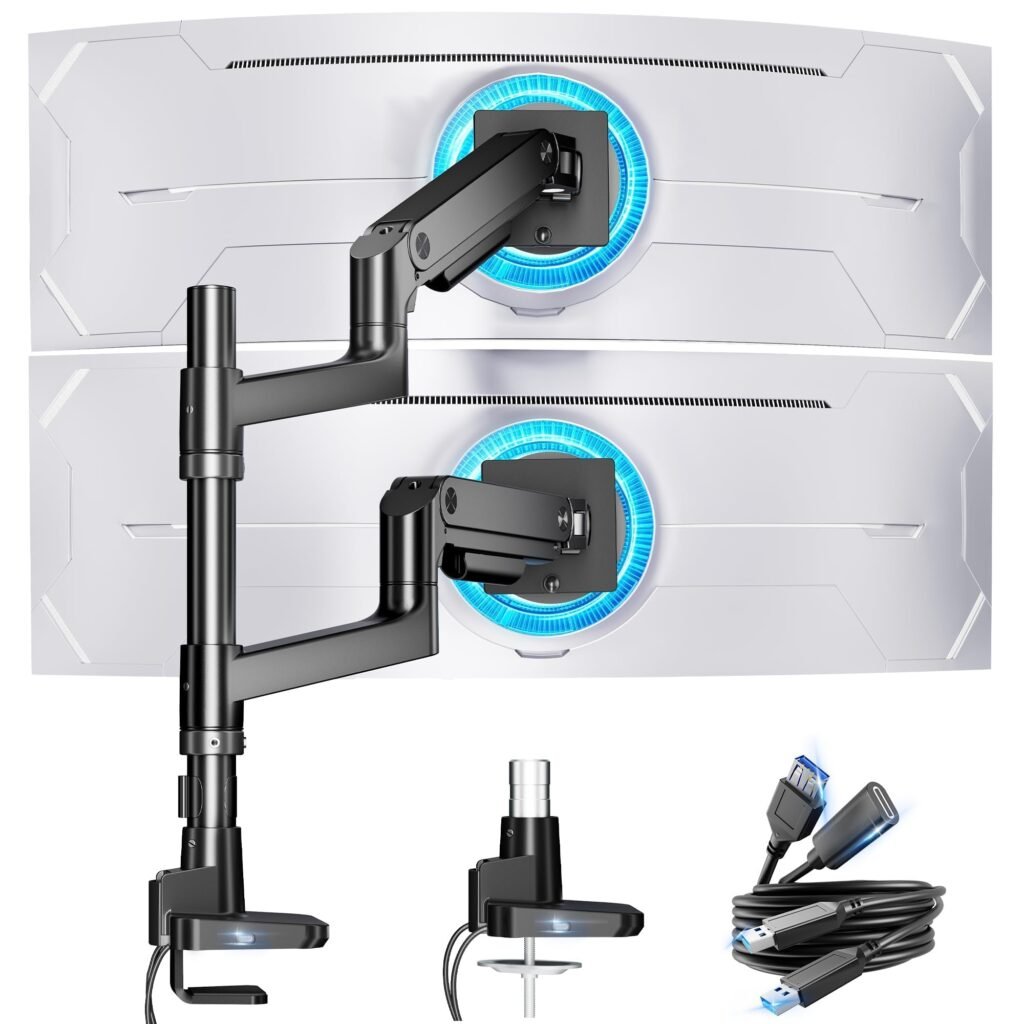
# Best Monitor Arms for Home Office Setups in 2026
*Disclosure: This article may include affiliate links. If you buy through them, SiftNova may earn a commission at no extra cost to you.*
Monitor arms are one of the fastest home-office upgrades because they solve two problems at once: they free desk space and make monitor positioning easier. That matters more in a work-from-home setup than it does in a generic desk-accessory roundup, because most buyers are trying to fix a specific layout problem, not shop a category for fun.
For this monitor-arm roundup, the strongest picks are:
– `VIVO Dual Monitor Arm` for most dual-screen setups
– `MOUNTUP Single Monitor Arm` for single-monitor desks
– `HUANUO Dual Monitor Stand` for comparison-driven dual-display buyers
– `VIVO Triple Monitor Mount` for three-screen workstations
The most important decision is not brand. It is screen count. Start there, then narrow by desk constraints and budget.
## Quick Picks
| Best for | Pick | Why it stands out |
|—|—|—|
| Best overall for dual monitors | `VIVO Dual Monitor Arm` | Cleanest fit for the most common work-from-home setup: two screens and limited desk space. |
| Best for single-monitor desks | `MOUNTUP Single Monitor Arm` | The simplest way to reclaim desk space without overbuying for a one-screen setup. |
| Best alternative for comparison-driven dual-display buyers | `HUANUO Dual Monitor Stand` | Strong fit for buyers who want a credible second option instead of defaulting straight to the mainstream pick. |
| Best for three-screen setups | `VIVO Triple Monitor Mount` | The most direct answer for traders, analysts, and dashboard-heavy users running three displays. |
## Who Should Buy A Monitor Arm?
You should seriously consider a monitor arm if any of these sound familiar:
– your desk feels cramped even after basic cleanup
– your monitors sit too low or too deep on the desk
– you work on video calls and want a cleaner background line
– you are building around a standing desk or a compact desk footprint
– you use two or three screens and your current stands waste usable space
You probably do not need one if you are happy with a single laptop-only setup or if your current monitor stand already gives you the height and clearance you need.
## How To Choose The Right Monitor Arm
Before looking at individual products, make these four decisions first.
### 1. Match the arm to your screen count
This is the first filter because it affects cost, desk fit, and cable clutter more than anything else.
– one monitor: buy a single-monitor arm
– two monitors: buy a dual-monitor arm
– three monitors: only buy a triple mount if you know you will keep all three displays active
Do not buy a dual arm “just in case” if you only use one screen today. It adds setup friction without giving you immediate benefit.
### 2. Decide whether your desk can handle a mount
Most buyers focus on monitor count first, but desk compatibility is the real failure point. Before publish, verify the exact clamp, grommet, and desk-thickness requirements on the merchant listing for any arm you choose.
As a practical rule:
– compact desks benefit most from arms because they free surface area
– shallow desks need careful mount-depth review before purchase
– standing desks benefit when the arm helps preserve keyboard and notebook space
### 3. Buy for the way you work, not for the fanciest setup
Monitor arms are easiest to justify when they remove a real daily irritation:
– spreadsheet and multitasking work favors dual screens
– writing, calls, and admin work often only need one screen
– analytics, market watching, editing, or operations dashboards can justify three
### 4. Keep the category honest
This is still an accessory purchase. Do not spend past the point where the arm solves a clear layout problem. If your real issue is a bad desk footprint, weak lighting, or poor cable management, fix the actual bottleneck instead of over-optimizing the monitor mount.
## The Best Monitor Arms For Home Office Setups In 2026
## Best Overall For Dual Monitors: VIVO Dual Monitor Arm
`VIVO Dual Monitor Arm` is the best starting point for the biggest slice of home-office buyers because dual-monitor setups are the most common “I need more room” upgrade path.
Why it earns the top slot:
– it directly matches the most common two-screen workflow
– it is widely aligned with the most common dual-monitor desk layout
– it gives dual-screen buyers a straightforward starting point
Who it is best for:
– remote workers using one main screen plus a second screen for Slack, email, or docs
– operators and analysts who keep dashboards open all day
– buyers who want one mount purchase instead of piecing together two singles
Who should skip it:
– single-monitor users
– buyers who are not sure their desk can support a mounted arm
– anyone who may be better served by a simpler desk reset first
## Best For Single-Monitor Desks: MOUNTUP Single Monitor Arm
`MOUNTUP Single Monitor Arm` is the best pick in this pack for buyers who want the ergonomic and desk-space benefits of a monitor arm without paying for dual-screen hardware they do not need.
Why it earns this slot:
– single-monitor desks are still common in home-office setups
– it keeps the recommendation aligned with actual use instead of aspirational upgrades
– it gives the article a cleaner entry point for lower-cost, lower-friction buyers
Who it is best for:
– laptop-plus-one-monitor setups
– small desks where every inch matters
– first-time monitor-arm buyers who want the simplest category entry point
## Best Alternative For Comparison-Driven Dual-Display Buyers: HUANUO Dual Monitor Stand
`HUANUO Dual Monitor Stand` is the main alternative to the VIVO recommendation in this roundup. That matters because not every dual-screen buyer wants the same recommendation style or buying path.
Why it belongs in the roundup:
– it gives the article a real second path for dual-screen buyers
– it gives comparison-driven buyers a credible second path
– it helps the roundup answer “best overall” and “best alternative” separately instead of pretending those are always the same thing
Who it is best for:
– dual-monitor users who want the category benefits without defaulting to the lead pick
– buyers comparing shortlist options instead of browsing dozens of nearly identical mounts
– readers who want to pressure-test the mainstream recommendation before buying
## Best For Three-Screen Workstations: VIVO Triple Monitor Mount
`VIVO Triple Monitor Mount` is the specialist pick in this article. It is not the right answer for most home-office readers, but it is the correct answer for the subset of buyers who know they truly need three active displays.
Why it makes the list:
– it covers the upper end of the category without bloating the roundup
– it gives the article a strong “best for advanced setup” slot
– it keeps the page useful for trader, operations, and dashboard-heavy workflows
Who it is best for:
– market watchers and ops users with persistent dashboards
– creators or researchers who keep multiple dedicated views open
– buyers who already know a three-screen layout improves their work
Who should skip it:
– most first-time monitor-arm shoppers
– buyers on compact desks
– anyone who has not yet proven they need more than two screens
## How We Chose These Picks
This roundup keeps the shortlist intentionally tight. The goal is to help buyers solve the most common monitor-arm setup problems without turning the page into a long list of nearly identical mounts.
The picks were selected based on:
– clear setup segmentation across single, dual, comparison-driven dual, and triple-monitor use cases
– usefulness for real home-office desk layouts
## Buying Advice Before You Click
Before buying any monitor arm from this list, verify five things on the live merchant page:
1. supported monitor count
2. exact weight capacity
3. exact supported monitor size range
4. clamp or grommet mounting compatibility
5. desk-thickness and depth limitations
Those checks matter more than minor brand differences. A perfectly good monitor arm is still the wrong purchase if it does not fit your desk or your display weight.
## Best Use Cases By Setup
If you want the fastest route to the right pick, use this map:
| Your setup | Best match |
|—|—|
| One monitor on a small desk | `MOUNTUP Single Monitor Arm` |
| Two monitors and limited space | `VIVO Dual Monitor Arm` |
| Two monitors and stronger comparison intent | `HUANUO Dual Monitor Stand` |
| Three fixed displays for dashboards or trading | `VIVO Triple Monitor Mount` |
## FAQ
### Is a monitor arm worth it for working from home?
Yes, if your current monitor stand wastes desk space or forces poor monitor height. It is one of the clearest quality-of-life upgrades in a home-office setup because it improves both space and positioning at the same time.
### Is a dual monitor arm better than two single arms?
It depends on your desk and how fixed your setup is. A dual arm is usually the simpler starting point for a stable two-monitor setup. Two single arms can make sense if you expect to reposition each screen independently or change your layout often.
### What is the best monitor arm for one monitor?
Here, the best one-monitor pick is `MOUNTUP Single Monitor Arm` because it matches the need directly without forcing a dual-screen purchase.
### What is the best monitor arm for two monitors?
Here, the best two-monitor pick is `VIVO Dual Monitor Arm`, with `HUANUO Dual Monitor Stand` as the comparison-driven alternative.
### Should I buy a triple monitor mount for a home office?
Only if you already know you need three active displays. For most readers, a triple mount adds cost and setup complexity without improving work enough to justify it.
## Final Verdict
If you want the safest first recommendation for a typical work-from-home desk, start with `VIVO Dual Monitor Arm`. If you only use one monitor, buy `MOUNTUP Single Monitor Arm` instead of overspending. If you want a credible alternative to the lead recommendation, shortlist `HUANUO Dual Monitor Stand`. If your setup genuinely depends on three displays, `VIVO Triple Monitor Mount` is the specialist option in this pack.