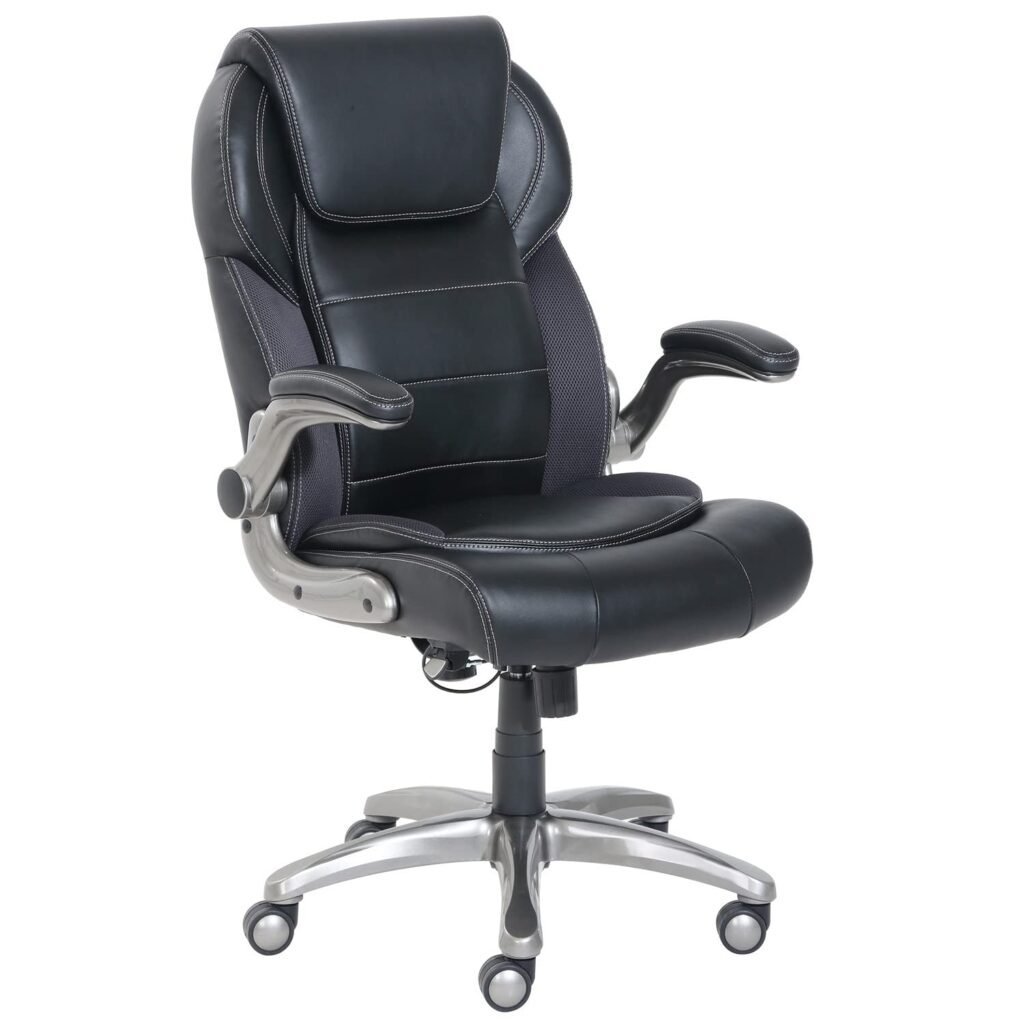
Best Ergonomic Chairs for Back Pain: Complete 2025 Buying Guide
Choosing the right ergonomic chair isn’t just about comfort—it’s about protecting your long-term health and productivity. With Americans spending over 10 hours daily in seated positions, the wrong chair can transform minor discomfort into chronic pain, affecting everything from your work performance to your quality of life.
Most buyers approach chair shopping backwards, focusing on aesthetics or brand names instead of understanding how their specific needs align with chair mechanics. This leads to expensive mistakes: purchasing chairs that look professional but lack proper lumbar support, or choosing budget options that deteriorate rapidly under daily use. The result? Persistent back pain, decreased productivity, and the frustration of needing to shop again within months.
This guide cuts through marketing claims to focus on what actually matters: matching chair features to your body type, work habits, and pain patterns. Whether you’re dealing with lower back stiffness from long coding sessions or upper back tension from forward head posture, the right ergonomic chair can be transformative—but only if you understand what to look for.
Key Features to Consider When Selecting Your Ergonomic Chair
Lumbar Support Architecture
The foundation of any back-pain-fighting chair lies in its lumbar support system. Look for chairs offering both height and depth adjustment, allowing you to position support precisely at your lower back’s natural curve. Fixed lumbar cushions rarely align correctly with individual spines, making adjustability non-negotiable.
Dynamic lumbar support—which moves with your body as you recline—represents the gold standard. This technology maintains consistent support whether you’re leaning forward to focus or reclining during phone calls, preventing the support gap that causes muscle fatigue.
Seat Pan Design and Adjustability
Proper seat geometry directly impacts spinal alignment and circulation. The ideal seat depth leaves 2-4 inches between the seat edge and your knee backs, preventing pressure on leg arteries while supporting your thighs. Seats that are too deep force you to choose between back support and proper leg positioning.
Waterfall edges—gently curved seat fronts—reduce pressure points behind your knees, improving circulation during extended sitting periods. This feature becomes crucial for preventing the numbness and restlessness that often accompany back pain.
Armrest Functionality
Comprehensive armrest adjustability prevents the shoulder and neck tension that often accompanies lower back issues. Look for 4D armrests offering height, width, depth, and pivot adjustments. Properly positioned armrests should support your forearms while maintaining relaxed shoulders, reducing the forward head posture that strains your entire spine.
Recline Mechanism and Tension Control
A quality recline system allows micro-movements throughout your workday, preventing the muscle stiffness that builds during static sitting. Chairs with adjustable recline tension accommodate different body weights, ensuring smooth movement without unexpected jolts that can aggravate existing pain.
The ability to lock recline positions lets you find your optimal working angle and maintain it consistently, particularly important for users with specific pain triggers.
Build Quality and Durability Indicators
Beyond comfort, chair longevity directly impacts your investment’s value. Look for chairs rated for 8+ hours daily use, with warranties of at least 5 years on mechanical components. Quality indicators include:
- Steel or aluminum frame construction
- Class 4 pneumatic cylinders for height adjustment
- High-density foam that maintains shape over time
- Breathable mesh or premium upholstery materials
Best Ergonomic Chairs by User Profile
For Remote Workers: All-Day Comfort Champions
Remote workers need chairs that remain comfortable during marathon work sessions while fitting home office aesthetics. These users typically spend 8-12 hours daily seated, making durability and comprehensive adjustability essential.
The Herman Miller Aeron Chair stands as the remote worker’s gold standard. Its innovative pellicle suspension eliminates pressure points while providing excellent lumbar support through its PostureFit mechanism. The breathable design prevents the heat buildup common during long sessions, while the fully adjustable armrests accommodate various desk heights common in home offices.
For those seeking similar performance at a lower price point, the Steelcase Series 1 offers excellent value. Its LiveBack technology provides dynamic back support that moves with you, while the simplified adjustment system makes it easy to find your optimal position quickly.
For Budget-Conscious Buyers: Maximum Value Under $300
Quality ergonomic support doesn’t require premium pricing, but it does demand smart shopping. Focus on chairs offering the most essential adjustments—lumbar support, seat height, and basic armrests—rather than premium materials or advanced features.
The Serta Works Executive Office Chair delivers surprising ergonomic value in the budget category. Its layered body pillows provide targeted lumbar support, while the padded armrests and pneumatic height adjustment cover the basics effectively. The chair’s traditional styling works well in both professional and home environments.
Another standout option, the HON Ignition 2.0 offers mesh back construction for breathability and a weight-activated mechanism that automatically adjusts to your body. Its clean design and reliable construction make it an excellent choice for growing businesses or home offices.
For Gaming and Extended Screen Time
Gamers and digital professionals face unique challenges: extended periods in identical positions, intense focus that reduces awareness of posture, and the need for chairs that complement gaming setups. These users benefit from chairs with enhanced lumbar support and the ability to remain comfortable during 6+ hour sessions.
The Secretlab TITAN Evo 2022 specifically addresses gaming ergonomics with its 4-way lumbar support system and cold-cure foam that maintains shape during marathon sessions. The chair’s racing-inspired design appeals to gaming aesthetics while delivering serious ergonomic performance.
For those preferring traditional office chair styling, the Steelcase Leap V2 excels in supporting the dynamic postures common during gaming and creative work. Its LiveBack technology and Natural Glide System accommodate the constant micro-movements that help prevent stiffness during extended use.
For Heavier Users: Robust Support Systems
Chairs for heavier users require enhanced structural integrity and weight distribution systems. Standard office chairs often fail to provide adequate support, leading to premature wear and insufficient back support for users over 250 pounds.
The Steelcase Leap V2 Plus specifically addresses heavy-duty requirements with reinforced construction supporting up to 500 pounds. Its enhanced lumbar support system and wider seat accommodate larger frames while maintaining the ergonomic principles that prevent back pain.
The Herman Miller Sayl offers an alternative approach with its innovative suspension tower design that distributes weight more evenly than traditional mechanisms. Its open design accommodates various body types while providing consistent support across different weight ranges.
For Specific Pain Conditions
Users with diagnosed conditions like sciatica, herniated discs, or chronic pain need chairs addressing specific biomechanical issues rather than general comfort features.
For sciatica sufferers, the Humanscale Freedom excels with its weight-sensitive recline that reduces pressure on the sciatic nerve. The chair’s minimal adjustment requirements prevent the trial-and-error process that can aggravate existing pain.
Those dealing with upper back and neck issues benefit from the Herman Miller Embody and its unique back design that supports natural spine curvature while encouraging healthy posture. The chair’s pressure-distributing seat reduces the muscle tension that often accompanies postural problems.
Comparison Table: Top Picks Across Key Criteria
| Chair Model | Price Range | Weight Capacity | Key Strength | Best For | Lumbar Support Type |
|---|---|---|---|---|---|
| Herman Miller Aeron | $1,200-$1,400 | 350 lbs | Breathability & durability | Remote workers, hot climates | PostureFit adjustable |
| Steelcase Leap V2 | $800-$1,000 | 400 lbs | Dynamic back support | Active users, varied postures | LiveBack flexible |
| HON Ignition 2.0 | $250-$300 | 300 lbs | Value & reliability | Budget-conscious, small offices | Fixed mesh support |
| Secretlab TITAN Evo | $400-$500 | 290 lbs | Gaming-specific features | Gamers, creative professionals | 4-way adjustable |
| Humanscale Freedom | $900-$1,100 | 300 lbs | Automatic adjustment | Pain sufferers, minimal setup | Weight-sensitive |
| Serta Works Executive | $150-$200 | 250 lbs | Traditional comfort | Budget buyers, classic styling | Layered cushioning |
How to Choose: Your Decision Framework
Step 1: Assess Your Pain Patterns
Before focusing on chair features, understand your specific discomfort. Lower back pain typically requires enhanced lumbar support, while upper back issues need better shoulder positioning through proper armrest adjustment. Sciatic pain benefits from pressure-reducing seat designs, while general stiffness responds well to movement-encouraging mechanisms.
Step 2: Evaluate Your Usage Patterns
Consider both duration and activity type. Desk-bound professionals need different features than those frequently shifting between tasks. Conference call-heavy schedules benefit from comfortable recline positions, while detailed work requires chairs that support forward-leaning postures.
Step 3: Set Your Investment Timeline
Quality ergonomic chairs represent long-term investments. Calculate cost-per-use over expected lifespan: a $1,000 chair used 8 hours daily for 10 years costs roughly $0.03 per hour of use. This perspective often justifies higher initial investments for frequently-used furniture.
Step 4: Test Movement and Adjustability
If possible, experience chairs in person, focusing on adjustment ease and range. Complex controls can discourage regular modifications, reducing the chair’s ergonomic benefits. The best chair for you is one you’ll actually adjust to maintain optimal positioning throughout your workday.
Quick-Pick Summary
Immediate back pain relief on any budget: Start with the HON Ignition 2.0 for proven ergonomic principles at accessible pricing.
Premium long-term investment: The Herman Miller Aeron offers unmatched durability and comfort for users prioritizing long-term value.
Gaming and creative work: The Secretlab TITAN Evo 2022 balances ergonomic performance with gaming-specific features.
Existing chronic pain: Consider the Humanscale Freedom for its automatic adjustment technology that reduces setup complexity.
Heavy-duty requirements: The Steelcase Leap V2 Plus provides enhanced support systems for users requiring higher weight capacities.
Remember: the best ergonomic chair is the one that fits your body, work style, and environment while encouraging healthy posture throughout your workday. Focus on adjustability and build quality over aesthetics, and you’ll find a chair that serves as a foundation for better health and productivity for years to come.
As an Amazon Associate I earn from qualifying purchases. This post contains affiliate links. If you purchase through these links, we may earn a commission at no extra cost to you.