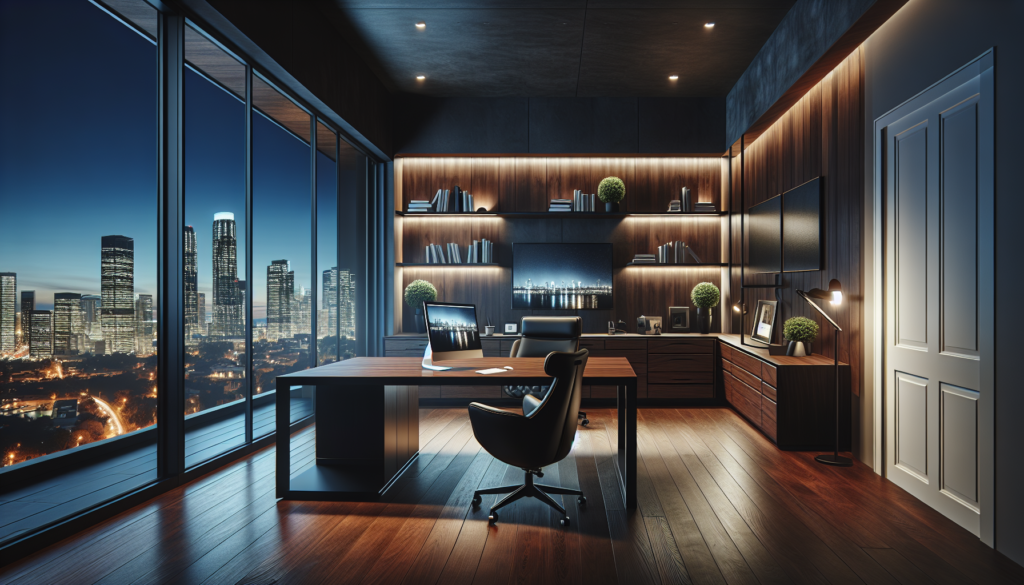
Complete Guide to the Best Home Office Desk Setup 2025: How to Choose the Perfect Workspace
Your home office desk setup can make or break your productivity, health, and career success. Yet most remote workers make the critical mistake of treating their workspace as an afterthought—grabbing whatever desk fits their budget and calling it done. This approach costs them dearly in lost productivity, chronic pain, and professional burnout.
The truth is, your desk setup is the foundation of everything you accomplish during work hours. A poorly planned workspace leads to fatigue, distraction, and physical discomfort that compounds over months and years. Meanwhile, a thoughtfully designed home office becomes a productivity multiplier that pays dividends in every project you complete.
The biggest mistake buyers make is focusing solely on the desk itself while ignoring the ecosystem of accessories, lighting, and organization systems that transform a simple work surface into a high-performance workspace. This guide will help you avoid those pitfalls and create a setup that enhances both your immediate comfort and long-term career trajectory.
Why Your Desk Setup Strategy Matters More Than Ever in 2025
Remote and hybrid work isn’t going anywhere. Companies have discovered that productive home workers often outperform their office counterparts, but only when they have the right environment. Your home office setup directly impacts your energy levels, focus capacity, and professional presence during video calls.
Poor ergonomics alone costs the average knowledge worker 2-3 hours of peak productivity per day through fatigue, discomfort, and frequent position adjustments. Multiply that across a year, and you’re looking at hundreds of lost productive hours—equivalent to weeks of vacation time you’ll never get back.
Key Features to Consider: The Five Pillars of Workspace Excellence
1. Surface Area and Layout Efficiency
Your desk must accommodate not just your computer, but all the tools you reach for throughout the day. Most people underestimate their space needs, then spend months fighting clutter and inefficiency. Calculate your total equipment footprint including monitors, keyboard, mouse, notebooks, beverages, and reference materials. Add 30% buffer space for comfort.
2. Height Adjustability and Ergonomic Positioning
Fixed-height desks force your body to adapt to the furniture, leading to neck strain, shoulder tension, and wrist problems. The ideal setup positions your screen at eye level, elbows at 90 degrees, and feet flat on the floor. This requires either an adjustable desk or converter system that accommodates your specific body proportions.
3. Cable Management and Power Access
Tangled cables don’t just look unprofessional on video calls—they create safety hazards and make equipment changes frustrating. Your setup needs integrated cable management, sufficient power outlets, and easy access to ports for connecting devices without crawling under the desk.
4. Storage and Organization Integration
Productive workspaces keep essential items within arm’s reach while maintaining visual clarity. This means strategic placement of drawers, shelves, and organizers that support your specific workflow patterns rather than generic storage solutions.
5. Lighting Quality and Eye Comfort
Poor lighting causes eye strain, headaches, and makes you look unprofessional during video conferences. Your setup needs both task lighting for detailed work and ambient lighting that reduces screen glare without creating harsh shadows.
Best Home Office Desk Setups by Work Style and Space
The Power User: Maximum Productivity Setup
Best for: Software developers, traders, analysts, creative professionals with multiple monitors
Power users need expansive surface area, rock-solid stability, and seamless height adjustment for long work sessions. The FlexiSpot E7 Standing Desk 60×30 delivers commercial-grade stability with whisper-quiet dual motors and a spacious work surface that accommodates multiple monitors without crowding.
This setup shines for users who frequently switch between sitting and standing, with memory presets that recall your preferred heights instantly. The desk’s weight capacity handles multiple monitors, audio equipment, and other professional tools without wobbling during typing or mouse movements.
Supporting accessories:
- VIVO Dual Monitor Arm for optimal screen positioning
- UPLIFT Desk Cable Management Tray keeps power and data cables organized
- Humanscale M/Connect Docking Station provides single-cable connectivity
The Space Maximizer: Small Home Office Setup
Best for: Apartment dwellers, shared spaces, compact rooms under 8×10 feet
Small spaces demand furniture that works harder. The IKEA Bekant Corner Desk with Add-on Unit maximizes surface area while fitting into tight corners that would otherwise go unused. The vertical storage component keeps supplies accessible without consuming floor space.
This L-shaped configuration creates distinct zones for computer work and paperwork while maintaining an open feel. The corner design utilizes dead space effectively and provides natural separation between different types of tasks.
Space-saving enhancements:
- SimpleHouseware Mesh Desk Organizer adds vertical storage without bulk
- BenQ ScreenBar Plus LED Monitor Light provides task lighting without consuming desk space
- 3M Under Desk Keyboard Tray frees up surface area when not typing
The Budget Optimizer: Maximum Value Setup
Best for: Students, new remote workers, temporary home offices
Smart spending doesn’t mean sacrificing functionality. The SHW 55-Inch Electric Height Adjustable Desk provides standing desk benefits at a fraction of premium prices. While it lacks some advanced features, it delivers the core ergonomic benefits that matter most.
Pair this with strategic accessories that multiply functionality without breaking budgets. Focus on items that solve multiple problems—like an adjustable monitor stand that includes storage compartments.
Value-driven additions:
- AmazonBasics Adjustable Monitor Stand provides ergonomic positioning plus storage
- SimpleHouseware Desktop Document Letter Tray organizes paperwork vertically
- TaoTronics LED Desk Lamp with Wireless Charging combines task lighting with phone charging
The Hybrid Professional: Video Call Optimized Setup
Best for: Consultants, managers, client-facing roles with frequent video meetings
Video presence impacts career advancement more than many professionals realize. Your setup needs to make you look competent and professional while providing the flexibility to switch between heads-down work and client interactions.
The Herman Miller Motia Sit-to-Stand Desk offers premium aesthetics that photograph well on camera while providing whisper-quiet height adjustment that won’t disrupt calls. The clean lines and quality materials project professionalism during virtual meetings.
Professional presentation features:
- Logitech Brio 4K Webcam ensures crystal-clear video quality
- Elgato Key Light Air provides professional lighting that flatters during calls
- Steelcase Gesture Chair maintains good posture and professional appearance during long meetings
Comparison Table: Top Desk Setup Recommendations
| Setup Category | Primary Desk | Key Strengths | Best For | Price Range |
|---|---|---|---|---|
| Power User | FlexiSpot E7 | Maximum stability, dual motors, large surface | Multiple monitors, heavy equipment | $599-799 |
| Space Maximizer | IKEA Bekant Corner | Corner efficiency, vertical storage, compact footprint | Small rooms, apartments | $249-349 |
| Budget Optimizer | SHW Electric Height Adjustable | Standing capability, good value, reliable motors | New remote workers, temporary setups | $299-399 |
| Hybrid Professional | Herman Miller Motia | Premium aesthetics, quiet operation, video-ready | Client-facing roles, frequent video calls | $895-1195 |
Essential Home Office Lighting: Beyond Basic Illumination
Most home workers dramatically underestimate lighting’s impact on productivity and video presence. Poor lighting causes eye strain that accumulates throughout the day, leading to afternoon fatigue and reduced focus.
The BenQ ScreenBar Pro revolutionizes desk lighting by eliminating screen glare while providing even illumination across your workspace. Unlike traditional desk lamps that create hotspots and shadows, this monitor-mounted light bar delivers professional-quality lighting without consuming desk space.
For video calls, the Elgato Ring Light provides broadcast-quality illumination that makes you look energized and professional. The adjustable color temperature helps you match your lighting to the time of day, reducing the artificial appearance common with cheaper lighting solutions.
Lighting strategy by work type:
- Writing and reading: Warm white (3000-3500K) reduces eye strain during extended text work
- Computer work: Cool white (4000-5000K) enhances focus and alertness
- Video calls: Daylight balanced (5500-6500K) provides natural, flattering illumination
Ergonomic Accessories That Actually Matter
Ergonomic accessories often feel like optional add-ons, but the right ones prevent cumulative strain injuries that can derail careers. Focus on accessories that address your specific risk factors rather than buying everything marketed as "ergonomic."
The Fellowes Professional Series Keyboard Tray transforms any desk into an ergonomic workstation by positioning your keyboard and mouse at the optimal height and angle. This single accessory prevents more repetitive strain injuries than any other ergonomic investment.
For users who experience neck strain from looking up or down at monitors, the VIVO Single Monitor Arm provides infinite adjustability to position screens at perfect eye level. This eliminates the forward head posture that causes chronic neck and shoulder tension.
Priority order for ergonomic investments:
- Monitor positioning – Prevents neck strain and headaches
- Keyboard/mouse placement – Reduces wrist and forearm tension
- Lumbar support – Maintains healthy spine curvature
- Footrest – Improves circulation and posture
Home Office Organization Systems: From Chaos to Clarity
Organized workspaces aren’t just aesthetically pleasing—they reduce cognitive load and decision fatigue throughout the day. Every misplaced item forces your brain to switch from productive work to search mode, breaking focus and reducing efficiency.
The SimpleHouseware Mesh Desk Organizer Set creates designated homes for all your daily tools while maintaining visual clarity. The vertical design maximizes storage capacity without creating clutter that distracts during video calls.
For paper-heavy workflows, the Mind Reader 3-Tier Mesh File Organizer sorts documents by priority and project while keeping them easily accessible. This prevents the pile-and-forget habit that buries important documents under daily paperwork.
Organization principles that boost productivity:
- One-touch rule: Essential items should be reachable without standing or stretching
- Visual clarity: Work surfaces should remain 70% clear to reduce mental clutter
- Project separation: Active projects need dedicated space to prevent mixing and confusion
Standing Desk Converters: Upgrade Without Replacement
Not ready to replace your entire desk? Standing desk converters provide height adjustability without the commitment or expense of a full standing desk. However, not all converters deliver the stability and range needed for serious work.
The FlexiSpot Standing Desk Converter M17 rises higher and more smoothly than budget alternatives while providing separate keyboard and monitor platforms. This dual-level design maintains proper ergonomics at both sitting and standing heights—something single-platform converters can’t achieve.
The key advantage over fixed standing desks is the ability to test standing work habits before making a major furniture investment. Many users discover they prefer brief standing intervals rather than extended standing sessions, making converters the ideal solution.
Converter vs. full standing desk decision factors:
- Existing desk quality: Keep good desks, replace poor ones
- Commitment uncertainty: Converters let you test standing habits risk-free
- Budget constraints: Converters provide 80% of benefits at 40% of cost
- Rental situations: Converters move easily and don’t require assembly
How to Choose: Your Personalized Decision Framework
Step 1: Assess Your Space Reality
Measure your available space including wall clearances and traffic flow. Account for chairs, filing cabinets, and door swings. Most people overestimate their usable space by 20-30%.
Step 2: Define Your Work Intensity
- Light use (under 4 hours daily): Budget setups with basic ergonomics suffice
- Moderate use (4-8 hours): Invest in standing capability and proper lighting
- Heavy use (over 8 hours): Premium ergonomics and durability become essential
Step 3: Identify Your Productivity Blockers
- Frequent back/neck pain: Prioritize height adjustability and ergonomic accessories
- Afternoon fatigue: Focus on lighting quality and standing options
- Video call appearance: Invest in professional lighting and clean aesthetics
- Disorganization stress: Emphasize storage and cable management solutions
Step 4: Calculate Your True Budget
Include accessories in your total budget from the beginning. A $300 desk becomes a $600 setup once you add proper lighting, organization, and ergonomic accessories. Plan for the complete system rather than piecemeal purchases.
Quick-Pick Summary: Find Your Ideal Setup in 30 Seconds
Choose the Power User Setup if: You use multiple monitors, work 8+ hours daily, and need maximum stability and adjustment range.
Choose the Space Maximizer Setup if: You’re working in under 100 square feet, need vertical storage, and want to maximize every inch.
Choose the Budget Optimizer Setup if: You’re spending under $500 total, need standing capability, and want proven functionality without premium features.
Choose the Hybrid Professional Setup if: You attend frequent video calls, need to project professionalism, and want furniture that photographs well on camera.
Your home office setup shapes every workday for years to come. Choose components that support both your immediate needs and your professional growth trajectory. A thoughtful investment in your workspace pays dividends in productivity, health, and career advancement that compound over time.
The difference between a mediocre and exceptional home office isn’t just comfort—it’s the competitive advantage that helps you thrive in the remote work economy. Make your workspace work as hard as you do.
As an Amazon Associate I earn from qualifying purchases. This post contains affiliate links. If you purchase through these links, we may earn a commission at no extra cost to you.