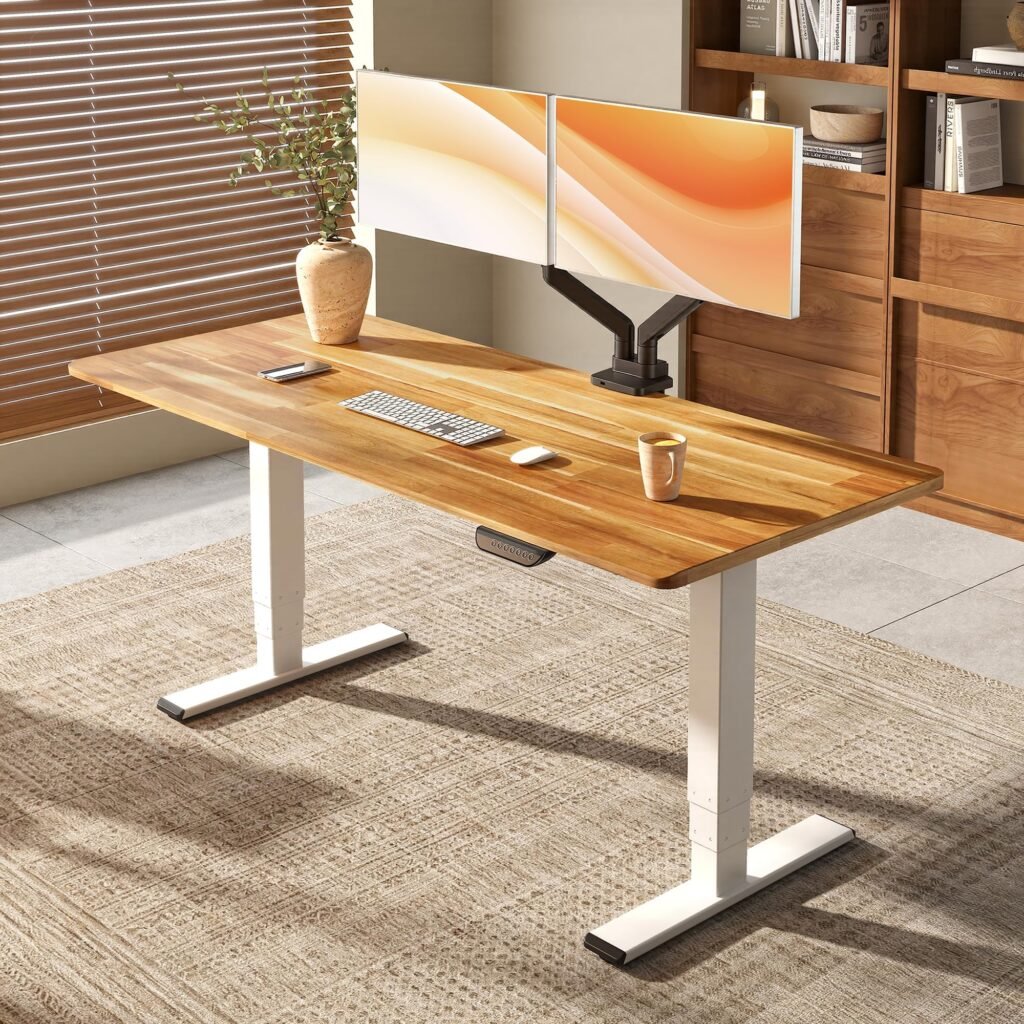
Complete Guide to Small Home Office Design: 15 Space-Saving Ideas That Boost Productivity
Creating an effective small home office requires strategic planning, smart storage solutions, and the right equipment to maximize both functionality and comfort. Whether you’re working with a spare bedroom corner, a closet conversion, or a shared living space, the principles of good small office design can transform even the tiniest areas into productive workspaces.
The key to successful small home office design lies in vertical storage, multi-functional furniture, proper lighting, and ergonomic considerations that don’t compromise on style or efficiency. With remote work becoming increasingly common, optimizing your workspace has never been more important for both productivity and well-being.
Quick Picks: Best Small Office Essentials
| Product Category | Top Pick | Best Feature | Price Range |
|---|---|---|---|
| Compact Desk | UPLIFT V2 Commercial Standing Desk 42" x 30" | Height adjustable, compact footprint | $599-$899 |
| Ergonomic Chair | Herman Miller Sayl Chair | Lightweight, breathable design | $395-$495 |
| Storage Solution | SONGMICS Ladder Shelf | Vertical space optimization | $89-$129 |
| Task Lighting | BenQ ScreenBar Plus LED Monitor Light | No desk space required | $119-$159 |
| Organization | SimpleHouseware Mesh Desk Organizer | Multiple compartments | $25-$35 |
[Shop Complete Office Setup](UPLIFT V2 Commercial Standing Desk 42" x 30")
Essential Elements of Small Home Office Design
Space Assessment and Planning
Before purchasing furniture or organizing supplies, measure your available space carefully. A successful small office typically requires:
- Minimum desk space: 30" x 20" for basic computer work
- Chair clearance: 36" depth for comfortable movement
- Storage access: 24" clearance in front of shelving units
- Walking paths: 30" minimum width for comfortable navigation
Consider the natural light sources, electrical outlet locations, and ventilation when planning your layout. These factors significantly impact both comfort and productivity throughout the workday.
Ergonomic Considerations for Small Spaces
Proper ergonomics becomes even more critical in small spaces where you may spend extended periods. The Herman Miller Sayl Chair offers excellent support without the bulk of traditional executive chairs, making it ideal for compact offices.
Key ergonomic principles include:
- Monitor height: Top of screen at or below eye level
- Keyboard position: Elbows at 90-degree angles
- Foot support: Feet flat on floor or footrest
- Back support: Lumbar support maintaining natural spine curve
[Check Ergonomic Chair Options](Herman Miller Sayl Chair)
15 Space-Saving Design Ideas
1. Wall-Mounted Desks and Fold-Down Surfaces
Wall-mounted desks eliminate the need for legs, creating a cleaner look while maximizing floor space. The VASAGLE Wall-Mounted Drop-Leaf Table provides a full work surface that folds flat against the wall when not in use.
Benefits of wall-mounted solutions:
- Floor space preservation: No legs means easier cleaning and more storage underneath
- Custom height installation: Mount at your ideal ergonomic height
- Integrated storage: Many models include built-in shelving or cubbies
- Clean aesthetic: Creates a minimalist, uncluttered appearance
2. Vertical Storage Solutions
Maximize wall space with tall, narrow storage units that draw the eye upward. The SONGMICS Ladder Shelf provides five tiers of storage in a compact 22.6" x 13.8" footprint.
[Shop Vertical Storage](SONGMICS Ladder Shelf)
Effective vertical storage strategies include:
- Floor-to-ceiling shelving: Maximizes storage capacity
- Wall-mounted cubbies: Keep frequently used items accessible
- Over-door organizers: Utilize often-overlooked spaces
- Pegboard systems: Customizable and easily reconfigured
3. Multi-Functional Furniture Pieces
Choose furniture that serves multiple purposes to maximize utility in limited space. Storage ottomans provide seating while concealing office supplies, while desk organizers with charging stations keep devices powered and paperwork sorted.
The SONGMICS Storage Ottoman doubles as extra seating during video calls while hiding cables, chargers, and office supplies inside.
4. Corner Desk Configurations
Corner desks utilize often-wasted space while providing ample work surface. L-shaped configurations offer distinct zones for computer work and writing tasks without requiring additional square footage.
[Check Corner Desk Options](Bush Furniture Cabot L Shaped Computer Desk)
5. Floating Shelves for Display and Storage
Install floating shelves at varying heights to create visual interest while providing storage for books, plants, and decorative items. This approach keeps surfaces clear while maintaining easy access to frequently needed items.
The SONGMICS Floating Shelves Set of 3 creates a modern, organized appearance without the visual weight of traditional bookcases.
6. Under-Desk Storage Solutions
Maximize the space beneath your work surface with rolling carts, filing cabinets, or custom-built storage units. These solutions keep essential items within reach while maintaining a clean desktop.
Rolling storage carts like the VASAGLE Rolling Storage Cart can move between different work areas as needed, providing flexibility in small spaces.
[Shop Under-Desk Storage](VASAGLE Rolling Storage Cart)
7. Lighting Strategies for Small Offices
Proper lighting reduces eye strain and creates the illusion of larger space. Layer different light sources for optimal illumination:
- Task lighting: The BenQ ScreenBar Plus LED Monitor Light provides focused illumination without consuming desk space
- Ambient lighting: Ceiling fixtures or floor lamps create overall room brightness
- Accent lighting: LED strips or small table lamps add warmth and depth
8. Cable Management Systems
Visible cables create visual clutter that makes small spaces feel even more cramped. Implement comprehensive cable management using:
- Cable trays: Mount under the desk to route power and data cables
- Adhesive clips: Keep individual cables organized along desk edges
- Cable sleeves: Bundle multiple cables for a cleaner appearance
- Wireless solutions: Reduce cable requirements with wireless keyboards, mice, and charging pads
The J Channel Cable Raceway Kit provides professional-looking cable management along walls and baseboards.
[Check Cable Management Solutions](J Channel Cable Raceway Kit)
9. Color Schemes and Visual Tricks
Light colors reflect more light and create the perception of larger space. Stick to neutral palettes with strategic accent colors to maintain a cohesive, spacious feeling.
Effective color strategies include:
- Light walls: White, cream, or pale gray maximize light reflection
- Monochromatic schemes: Using variations of the same color creates flow
- Strategic accents: One or two bold colors add personality without overwhelming
- Natural materials: Wood tones and plants add warmth without visual weight
10. Mirror Placement for Space Expansion
Strategically placed mirrors reflect light and create the illusion of depth. Position mirrors to reflect natural light sources or interesting views rather than clutter or blank walls.
11. Modular Furniture Systems
Invest in modular furniture that can be reconfigured as needs change. Cube storage systems, stackable shelving, and modular desk components adapt to evolving requirements without requiring complete replacement.
The ClosetMaid Cubeicals Organizer provides flexible storage that can be arranged horizontally or vertically depending on available space.
12. Ceiling-Mounted Solutions
Utilize ceiling space for storage or lighting without consuming floor area. Hanging planters, suspended shelves, or ceiling-mounted task lighting keep surfaces clear while adding functionality.
13. Built-In Appearance with Furniture
Create custom-looking built-ins using standard furniture pieces. Bookshelf bridges over desks, matching storage units, and coordinated finishes create a cohesive, intentional design that maximizes every inch.
14. Technology Integration
Choose technology that enhances rather than clutters your space. Wireless charging stations, bluetooth speakers, and cloud storage reduce physical items while maintaining full functionality.
The Anker Wireless Charging Stand keeps devices powered without additional cables while providing an adjustable viewing angle for video calls.
[Shop Wireless Charging Solutions](Anker Wireless Charging Stand)
15. Flexible Room Dividers
In shared spaces, create privacy and definition using room dividers that serve multiple functions. Bookshelf dividers provide storage while creating boundaries, and folding screens can be repositioned as needed.
Productivity-Focused Layout Principles
Work Triangle Optimization
Arrange your most frequently used items—computer, phone, and filing system—in a tight triangle to minimize movement and maximize efficiency. This principle, borrowed from kitchen design, applies equally well to office spaces.
Zone Definition in Multipurpose Spaces
When your office shares space with other functions, clearly define work areas using:
- Different lighting: Task lighting signals work mode
- Physical barriers: Screens, plants, or furniture create psychological boundaries
- Storage boundaries: Dedicated office supplies stay within defined areas
- Scheduling: Establish clear work hours in shared spaces
Distraction Minimization
Position your workspace to minimize visual and auditory distractions. Face away from high-traffic areas, use sound-absorbing materials, and keep personal items that might cause mental wandering out of direct sight lines.
Comparison: Small Office Desk Solutions
| Desk Type | Space Required | Price Range | Best For | Key Advantage |
|---|---|---|---|---|
| UPLIFT V2 Commercial Standing Desk 42" x 30" | 42" x 30" | $599-$899 | Health-conscious users | Height adjustability |
| VASAGLE Wall-Mounted Drop-Leaf Table | 31" x 19" | $89-$129 | Minimal space | Folds completely away |
| Bush Furniture Cabot L Shaped Computer Desk | 60" x 60" | $299-$399 | Corner spaces | Maximum surface area |
| Nathan James Theo Wood Ladder Desk | 42" x 22" | $199-$279 | Small rooms | Minimal footprint |
Budget-Friendly Implementation Strategy
Phase 1: Essential Foundation ($200-$400)
- Basic desk and chair setup
- Primary task lighting
- Essential organization supplies
Phase 2: Comfort Improvements ($300-$500)
- Ergonomic upgrades
- Enhanced storage solutions
- Better lighting layers
Phase 3: Productivity Optimization ($200-$400)
- Technology integration
- Advanced organization systems
- Aesthetic enhancements
[Start with Essential Desk Setup](Nathan James Theo Wood Ladder Desk)
Technology and Equipment Recommendations
Essential Technology for Small Offices
Prioritize equipment that maximizes functionality while minimizing space requirements:
- Laptop with external monitor: Provides dual-screen productivity without desktop computer bulk
- Wireless peripherals: Reduce cable clutter and provide positioning flexibility
- All-in-one printers: Combine printing, scanning, and copying in one compact unit
- Cloud storage: Eliminates physical filing needs for most documents
Ergonomic Equipment Priorities
Invest in ergonomic essentials that prevent discomfort during extended work sessions:
- Adjustable monitor arm: Positions screen at optimal height and distance
- Ergonomic keyboard and mouse: Reduces strain on wrists and hands
- Footrest: Maintains proper posture when chair height is fixed
- Document holder: Keeps reference materials at screen level
The VIVO Single Monitor Desk Mount allows precise positioning while freeing up valuable desk surface space.
[Check Monitor Mount Options](VIVO Single Monitor Desk Mount)
Maintenance and Organization Systems
Daily Maintenance Habits
Establish routines that keep small spaces functional:
- End-of-day reset: Clear desk surfaces and return items to designated spots
- Weekly deep clean: Dust surfaces and reorganize as needed
- Monthly assessment: Evaluate what’s working and adjust as necessary
Digital Organization
Complement physical organization with digital systems:
- Cloud file structure: Mirror physical filing systems digitally
- Desktop management: Keep computer desktops as organized as physical spaces
- Backup systems: Protect important work without physical storage requirements
Seasonal Adjustments
Adapt your space to changing needs:
- Lighting adjustments: Account for seasonal daylight variations
- Storage rotation: Store seasonal items elsewhere to maintain functionality
- Equipment updates: Upgrade technology to maintain efficiency
Common Mistakes to Avoid
Overcrowding the Space
The temptation to maximize every inch can backfire by creating a cramped, stressful environment. Leave breathing room around furniture and maintain clear pathways.
Ignoring Ergonomics for Space
Sacrificing comfort for space savings leads to decreased productivity and potential health issues. Prioritize proper ergonomics within your space constraints.
Poor Lighting Planning
Inadequate lighting strains eyes and creates a cave-like atmosphere. Invest in proper task lighting even in the smallest spaces.
Neglecting Cable Management
Visible cables create visual chaos that makes any space feel cluttered. Plan for comprehensive cable management from the beginning.
Future-Proofing Your Small Office
Adaptable Design Elements
Choose solutions that can evolve with changing needs:
- Modular furniture: Reconfigure as requirements change
- Adjustable lighting: Accommodate different tasks and times of day
- Flexible storage: Adapt to changing organizational needs
- Wireless infrastructure: Accommodate new technology without rewiring
Growth Accommodation
Plan for business growth within space constraints:
- Cloud-based tools: Scale digital operations without physical expansion
- Efficient filing systems: Maintain organization as paperwork increases
- Multi-user capabilities: Share space effectively when needed
Summary and Next Steps
Designing an effective small home office requires balancing functionality, comfort, and aesthetics within limited square footage. The most successful small office designs prioritize vertical storage, multi-functional furniture, proper ergonomics, and strategic lighting to create productive, pleasant work environments.
Start with the essential foundation: a properly sized desk like the UPLIFT V2 Commercial Standing Desk 42" x 30", an ergonomic chair such as the Herman Miller Sayl Chair, and adequate task lighting with the BenQ ScreenBar Plus LED Monitor Light. Build from this foundation by adding vertical storage, organization systems, and comfort improvements as budget allows.
[Complete Your Small Office Setup](UPLIFT V2 Commercial Standing Desk 42" x 30")
Remember that the best small office design is one that supports your specific work style and daily routines. Start with the basics, implement changes gradually, and adjust based on how you actually use your space. With thoughtful planning and the right equipment, even the smallest areas can become highly productive, comfortable work environments that enhance rather than hinder your professional success.
The key to long-term satisfaction is choosing adaptable solutions that can evolve with your changing needs while maintaining the organized, efficient workspace that makes working from home both productive and enjoyable.