The Complete Guide to Small Home Office Setup: Design, Furniture & Organization for Maximum Productivity
Creating an effective small home office setup has become essential for millions of professionals working from home. Whether you’re establishing your first workspace or optimizing an existing one, the right combination of furniture, organization, and design can transform even the smallest spaces into productivity powerhouses.
This comprehensive guide covers everything you need to know about designing, furnishing, and organizing your small home office for maximum efficiency and comfort. From space-saving furniture solutions to ergonomic considerations, lighting strategies, and organization systems, we’ll help you create a workspace that enhances your productivity while fitting seamlessly into your home.
Quick Picks: Essential Small Home Office Components
| Category | Top Pick | Best Budget | Premium Option |
|---|---|---|---|
| Desk | UPLIFT V2 Standing Desk | FlexiSpot E7 Standing Desk | Jarvis Bamboo Standing Desk |
| Chair | Herman Miller Aeron Chair | Steelcase Series 1 Office Chair | Humanscale Freedom Task Chair |
| Lighting | BenQ ScreenBar Plus | TaoTronics LED Desk Lamp | Dyson Lightcycle Task Light |
| Storage | IKEA Alex Drawer Unit | Sterilite 3 Drawer Cart | CB2 Go-Cart Rolling Cart |
Understanding Small Home Office Fundamentals
The modern small home office setup requires careful consideration of space utilization, functionality, and comfort. Unlike traditional office environments, home offices must often serve multiple purposes while maintaining professional appearance for video calls and client meetings.
Key Considerations for Small Spaces
Space Efficiency: Every square foot matters in a small home office. Vertical storage, multi-functional furniture, and wall-mounted solutions become essential components of an effective setup.
Ergonomic Requirements: Long work hours demand proper ergonomic support to prevent fatigue and injury. This includes appropriate desk height, monitor positioning, and seating that supports good posture.
Technology Integration: Modern work requires seamless technology integration, from cable management to power distribution and device connectivity.
Visual Appeal: Your workspace should inspire productivity while reflecting your professional image, especially for video conferences.
Essential Furniture for Small Home Offices
Desks: The Foundation of Your Workspace
The desk serves as the cornerstone of any small home office setup. For limited spaces, consider these options:
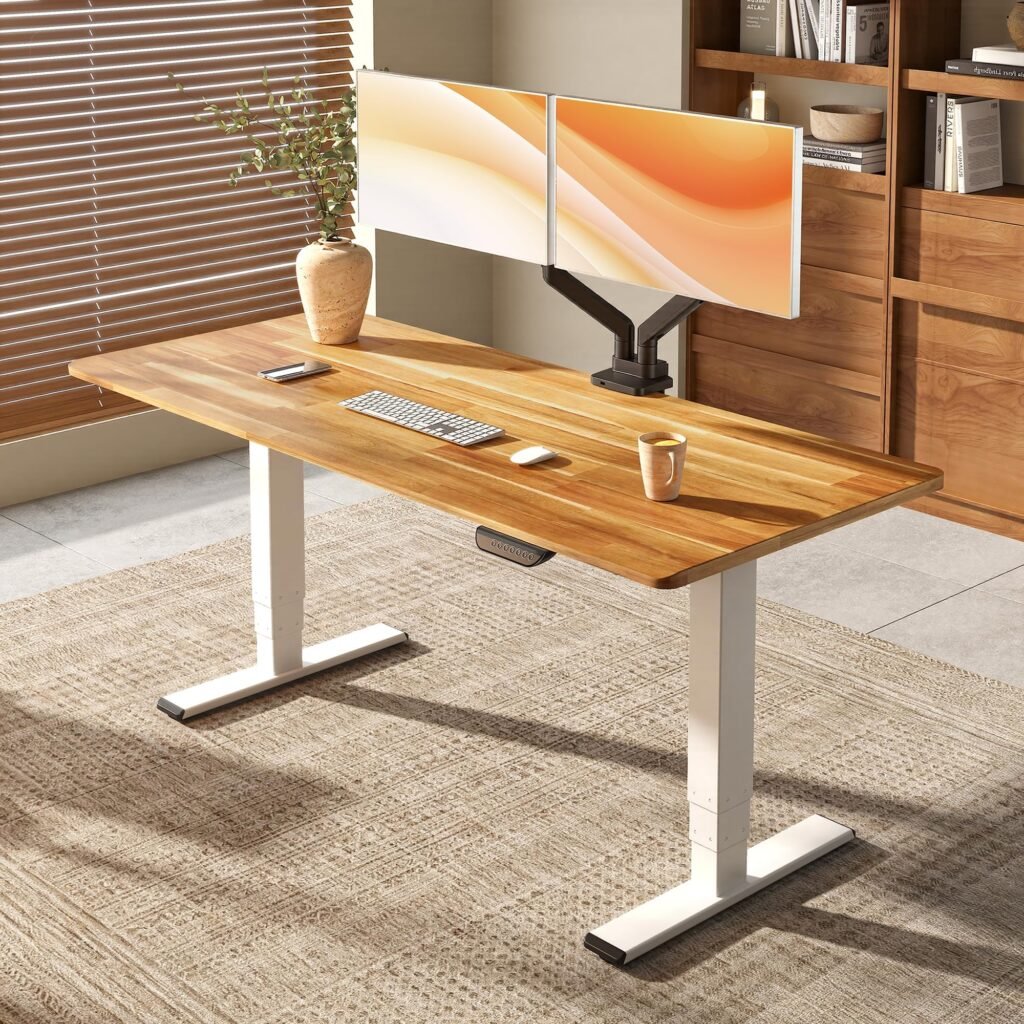
Standing Desks: The UPLIFT V2 Standing Desk offers excellent adjustability and build quality, making it ideal for health-conscious professionals. Its compact footprint doesn’t sacrifice functionality, featuring programmable height settings and cable management systems.
[Check Price on Amazon](UPLIFT V2 Standing Desk)
For budget-conscious buyers, the FlexiSpot E7 Standing Desk provides similar functionality at a lower price point, with reliable height adjustment and solid construction.
Corner Desks: Maximize space utilization with L-shaped designs that fit snugly into corners. The Bush Furniture Cabot L Shaped Desk offers ample workspace while maintaining a compact footprint.
Wall-Mounted Desks: For extremely tight spaces, wall-mounted options like the Prepac Wall Mounted Desk fold away when not in use, providing workspace flexibility without permanent floor space commitment.
Ergonomic Seating Solutions
Proper seating is crucial for productivity and long-term health. Here are our top recommendations across different price ranges:
Premium Choice: The Herman Miller Aeron Chair represents the gold standard in ergonomic seating. Its advanced PostureFit SL back support and breathable mesh design make it ideal for extended work sessions.
[Check Price on Amazon](Herman Miller Aeron Chair)
Mid-Range Option: The Steelcase Series 1 Office Chair offers excellent ergonomic features at a more accessible price point, including 4D armrests and flexible back support.
Budget-Friendly: For those seeking ergonomic support under $300, the Humanscale Freedom Task Chair provides exceptional value with its recline mechanism and comfortable design.
Small Home Office Lighting Ideas
Proper lighting significantly impacts productivity, eye strain, and overall workspace comfort. A well-lit small home office setup requires multiple light sources working together.
Task Lighting Solutions
Monitor Light Bars: The BenQ ScreenBar Plus eliminates screen glare while providing focused task lighting. Its space-saving design doesn’t require desk space and offers customizable brightness and color temperature.
[Check Price on Amazon](BenQ ScreenBar Plus)
Adjustable Desk Lamps: The TaoTronics LED Desk Lamp features multiple brightness levels and color temperatures, making it versatile for different tasks throughout the day.
Ambient Lighting
Floor Lamps: Tall, slim floor lamps provide ambient lighting without consuming desk space. The Brightech Sky LED Torchiere Floor Lamp offers upward lighting that bounces off ceilings for even illumination.
Wall Sconces: Wall-mounted lighting fixtures save floor and desk space while providing targeted illumination for reading or detailed work.
Natural Light Optimization
Position your desk perpendicular to windows to minimize screen glare while maximizing natural light benefits. Use adjustable blinds or curtains to control light throughout the day.
Home Office Organization Tips
Effective organization is essential for maintaining productivity in small spaces. Here’s how to maximize your storage and minimize clutter:
Vertical Storage Solutions
Wall-Mounted Shelving: Install floating shelves above your desk to store books, supplies, and decorative items without consuming floor space.
Pegboard Systems: The IKEA SKADIS Pegboard offers customizable storage with various accessories for different organizational needs.
Drawer and Cabinet Organization
Modular Drawer Units: The IKEA Alex Drawer Unit fits perfectly under most desks, providing organized storage for supplies, documents, and equipment.
[Check Price on Amazon](IKEA Alex Drawer Unit)
Rolling Carts: Mobile storage solutions like the CB2 Go-Cart Rolling Cart provide flexible organization that can move where needed.
Cable Management
Keep your workspace clean and professional with proper cable management:
- Use cable trays under your desk
- Implement cable sleeves for bundling wires
- Install power strips with USB ports to reduce adapter clutter
Technology and Productivity Tools
Monitor Setup
Dual Monitor Arms: Maximize desk space with monitor arms that lift screens off the surface. The VIVO Dual Monitor Desk Mount supports two monitors while freeing up valuable desk real estate.
Ultrawide Monitors: Single ultrawide displays can replace dual monitor setups while consuming less space and eliminating bezels.
Connectivity Solutions
Docking Stations: The CalDigit TS3 Plus Thunderbolt 3 Dock provides extensive connectivity options through a single cable, reducing desktop clutter.
Wireless Peripherals: Minimize cable clutter with wireless keyboards, mice, and headphones that maintain clean workspace aesthetics.
Productivity Software and Tools
Digital Organization: Implement cloud-based filing systems to reduce physical storage needs.
Time Management: Use productivity apps and techniques to maximize your workspace efficiency.
Design and Aesthetics
Color Schemes for Small Spaces
Light, neutral colors make small spaces feel larger and more open. Consider:
- White or light gray walls to reflect light
- Natural wood tones for warmth
- Accent colors through artwork or plants
Plant Integration
Indoor plants improve air quality and create a more pleasant work environment. Low-maintenance options include:
- Pothos for low-light conditions
- Snake plants for air purification
- Succulents for minimal care requirements
Personal Touches
Balance professionalism with personality through:
- Carefully chosen artwork
- Professional photography
- Meaningful decorative objects
Budgeting Your Small Home Office Setup
Essential vs. Nice-to-Have Items
Must-Have Items (Budget: $500-1000):
- Ergonomic chair: Steelcase Series 1 Office Chair
- Basic desk with adequate surface area
- Proper task lighting
- Basic organization supplies
Upgrade Items (Additional $500-1500):
- Standing desk converter or full standing desk
- Monitor arm or additional monitor
- Premium lighting solutions
- Enhanced storage systems
Premium Additions (Additional $1000+):
- High-end ergonomic chair like the Herman Miller Aeron Chair
- Smart lighting systems
- Premium storage and organization solutions
- Professional decor and artwork
Space-Specific Considerations
Bedroom Office Setups
When your office shares space with your bedroom:
- Use room dividers or screens for visual separation
- Choose furniture that complements bedroom decor
- Implement "shut down" routines to separate work and sleep
Living Room Integration
For offices in shared living spaces:
- Select furniture that matches existing decor
- Use mobile storage that can be hidden when not working
- Consider fold-away desk solutions
Closet Conversions
Transform unused closets into compact offices:
- Remove doors and add proper lighting
- Install desktop at appropriate height
- Maximize vertical storage with shelving
Maintenance and Optimization
Regular Decluttering
Implement weekly and monthly organization routines:
- Weekly desk clearing and organization
- Monthly supply inventory and restocking
- Quarterly equipment assessment and updates
Equipment Updates
Stay current with technology and furniture needs:
- Monitor ergonomic comfort regularly
- Update lighting as needs change
- Assess and upgrade storage solutions annually
Troubleshooting Common Small Office Challenges
Insufficient Storage
Solution: Utilize vertical space with wall-mounted shelves and pegboard systems. The IKEA SKADIS Pegboard offers expandable storage options.
Poor Lighting
Solution: Layer multiple light sources including the BenQ ScreenBar Plus for task lighting and ambient lighting solutions.
Ergonomic Issues
Solution: Invest in proper seating like the Herman Miller Aeron Chair and adjustable desk solutions.
Technology Limitations
Solution: Implement comprehensive docking stations and wireless solutions to maximize functionality while minimizing clutter.
Future-Proofing Your Setup
Adaptability Planning
Design your office with flexibility in mind:
- Choose modular furniture that can be reconfigured
- Invest in adjustable lighting and seating
- Plan for technology upgrades with adequate power and connectivity
Scalability Considerations
Prepare for changing needs:
- Select expandable storage systems
- Choose furniture that can grow with your requirements
- Plan cable management for future equipment additions
Conclusion and Next Steps
Creating an effective small home office setup requires thoughtful planning, smart furniture choices, and efficient organization systems. The key to success lies in maximizing every square foot while maintaining comfort, functionality, and professional appearance.
Start with the essentials: a quality ergonomic chair like the Steelcase Series 1 Office Chair, a properly sized desk such as the UPLIFT V2 Standing Desk, and adequate lighting including the BenQ ScreenBar Plus. Build upon this foundation with strategic storage solutions and organizational systems that work for your specific needs and space constraints.
Remember that your home office is an evolving space. Regular assessment and gradual improvements will help you maintain productivity while adapting to changing work requirements. Whether you’re working with a spare bedroom, living room corner, or converted closet, the principles outlined in this guide will help you create a workspace that enhances your professional performance and personal satisfaction.
[Transform Your Space Today](UPLIFT V2 Standing Desk)
Your productive home office awaits – start with one key piece and build your ideal workspace step by step.